Working with AI on large codebases?
One of the best things about agentic AI is its ability to decide which files to load into its context window. But the AI only knows what it knows. and it's not always curious enough to read all the files it needs to. This is actually a good thing; it's a hard balance to strike. We wouldn't want the AI reading every file in our codebase before starting work. While the balance the AI currently strikes is understandable, more often than not, it doesn't read enough to fully understand the context.
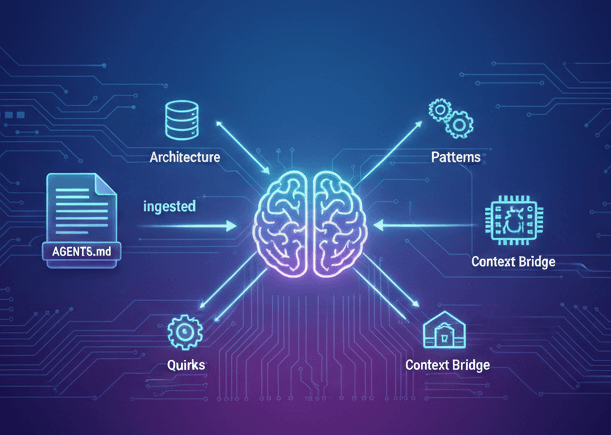
So I started writing special documentation files, which I was calling LLM-README.md just for the AI, about a year ago. The industry has landed on calling these AGENTS.md files, and they can be placed in any folder of your project. Claude Code uses CLAUDE.md as its convention, so I symlink AGENTS.md to CLAUDE.md in each directory - that way both conventions are satisfied and I only maintain one file.
Think of them like cheat sheets, but not for developers - for the AI. They explain the architecture, patterns, domain concepts and all the weird quirks that make our codebase unique.
Here's a simplified example of what one looks like:
# API Host - LLM Quick Reference

> ⚠️ CRITICAL: Always use `Result<T>` for operations that can fail. Never throw exceptions for business logic.

## Essential Patterns

| ✅ Do                    | ❌ Don't                  |
| ------------------------ | ------------------------- |
| `TimeProvider` for dates | `DateTime.Now`            |
| IPulse command handlers  | Generic "Service" classes |
| `async/await` throughout | Sync database calls       |

## Key Architecture

Controllers → IPulse → Domain Aggregates → Repository

All business logic lives in aggregates. Controllers are thin.
Even a file this small saves the AI from making basic mistakes. It doesn't need to read your entire codebase to understand that you use Result<T> instead of exceptions - it's right there in the context.
I tell the AI in my system/main prompt to always read the relevant AGENTS.md file before touching anything. Claude Code automatically loads any CLAUDE.md files along the file path whenever it reads a file, which means the AI gets the relevant context without me having to remind it.
After months of tweaking, I've got a slash command that lets the AI write its own AGENTS.md files. I have it spend time exploring the codebase first, learning how things work, then it writes up everything it learned as a reference guide for future conversations.
It's like spending AI tokens up front to crystallise insights, then reusing them in future conversations.
Click to view my /create-agents-file slash command
create-agents-file.md
text
You are an expert technical writer tasked with creating a specialized `CLAUDE.md` file for a specific component or module within the [Project Name] project.

## 1. The Goal

**⚠️ CRITICAL**: This file is **NOT for humans**. Do NOT create README-style documentation. CLAUDE.md is a machine-readable LLM guide.

**Purpose**: Spend AI tokens upfront exploring and crystallizing codebase insights, then reuse across future conversations. Provides high-density architecture, patterns, and critical information so LLMs can generate correct code without reading every file.

> Notes:

- **Onboard Rapidly**: Quickly understand the essential patterns and conventions of a specific codebase without reading every file.
- **Generate Correct Code**: Write code that adheres to the project's established architecture, patterns, and best practices.
- **Avoid Common Pitfalls**: Recognize and avoid anti-patterns or outdated practices.
- **Operate Autonomously**: Make informed decisions about where and how to modify code.

## 2. Core Principles

- **Information Density**: Tables, lists, code snippets > prose. Maximum information per word. Context windows matter.
- **Actionable Content**: Copy-paste-ready examples for common tasks.
- **Pattern-Oriented**: Recurring architectural patterns, not one-off implementations.
- **Criticality First**: Most critical information upfront. Use `⚠️ CRITICAL` or `🚨 IMPORTANT` markers.
- **Context Bridge**: LLM has file tree but not full content. Provide context to interpret code structure.

## 3. Standard `CLAUDE.md` Structure

Use the following structure as a template. Not all sections will apply to every component.

---

# [Component Name] - LLM Quick Reference Guide

> **⚠️ CRITICAL FOR LLM AGENTS**: [A brief, one-sentence statement about the most critical aspect of this component. E.g., "This component handles all database writes; respect the repository pattern." or "This is the core authentication module; do not change security protocols."]

## 🎯 Quick Start / Essential Patterns

*This section is for the absolute essentials. If an LLM could only read one section, this would be it.*

- **Essential Commands**: A list of the most common command-line operations for this component, including working directory context and file-scoped commands where possible (e.g., `pnpm dev`, `dotnet test`, `npm run tsc --prefix C:/git/[Project Folder]/src/app path/to/file.tsx`).
- **Core Architecture Snippet**: A single, compelling code block that demonstrates the primary architectural pattern (e.g., a complete request-handler-response flow, a React component with its data hook).
- **"Do This, Not That" Table**: A simple two-column table showing the correct pattern vs. a common anti-pattern.

## 📁 Critical File Reference

*A guide to the most important files and directories within this component.*

- **Core Architecture Files**: A table listing the 3-5 most important files, their purpose, and key features.
- **Directory Structure Overview**: A brief explanation of the directory structure and where to find key types of logic (e.g., services, controllers, UI components).

## 🏛️ [Component-Specific] Patterns

*Deep dive into the specific patterns for this component. Use descriptive names for the sections.*

- **Authentication Patterns**: How to handle authentication and authorization.
- **Data Access Patterns**: How to read from and write to the database.
- **State Management Patterns**: How state is managed (e.g., React Query, Redux).
- **Styling Guidelines**: How to apply styles (e.g., Tailwind CSS, CSS-in-JS).
- **Error Handling Strategy**: How errors are handled and propagated.
- **Testing Patterns**: How to write unit, integration, or E2E tests for this component.
- **File-Scoped Commands**: Prefer single-file operations over full project builds for faster feedback.
- **When Stuck Guidance**: What to do when unsure about implementation decisions.

## 🚨 Best Practices & Common Pitfalls

- A bulleted list of rules to follow.
- Examples of common mistakes to avoid.
- File-scoped commands for faster feedback loops.
- Clear guidance for when agents encounter uncertainty.

## 🔗 Related Documentation

- Links to other relevant `CLAUDE.md` files.
- Links to critical human-readable documentation if absolutely necessary.

---

> **🤖 LLM NOTE**: [A final, concluding tip for the LLM. E.g., "This component is highly modular; prefer creating new files over adding to existing ones."]

---

## 4. Task

**Phase 1: Deep Exploration** - First, thoroughly explore the `[target-directory]` codebase. Read key files, understand patterns, identify conventions, note critical architecture decisions. Take time to learn how things work.

**Phase 2: Crystallize Insights** - Then, create a new `CLAUDE.md` based on the principles and structure above. Distill your exploration into high-density, reusable reference. Every line should save future LLMs from reading multiple files.
If you're using AI to help with a big codebase, try this out. It's made a real difference in how quickly the AI can get up to speed and actually help.
While this prompt gets things started, it's really important to keep an eye on where the AI gets things wrong, then update the file manually to keep the AI on track.
The key insight is this: spend tokens once to crystallise context, then reuse it forever. Your AI stops making the same mistakes, and you stop repeating yourself.
In my next post, I'll cover DDRs - a specific type of documentation that captures the why behind your design decisions, giving AI even more context to work with.
What's working for you? What tricks have you found for making AI more useful in your workflow?